Turn tips into toy time
Fluffer connects your room to your Bluetooth toy. Every tip adds fuel, the fuel runs the toy, and your stream shows it all happening live, like this.

Fluffer connects your room to your Bluetooth toy. Every tip adds fuel, the fuel runs the toy, and your stream shows it all happening live, like this.

The real Fluffer widgets on a pretend stream, reacting to pretend tips.
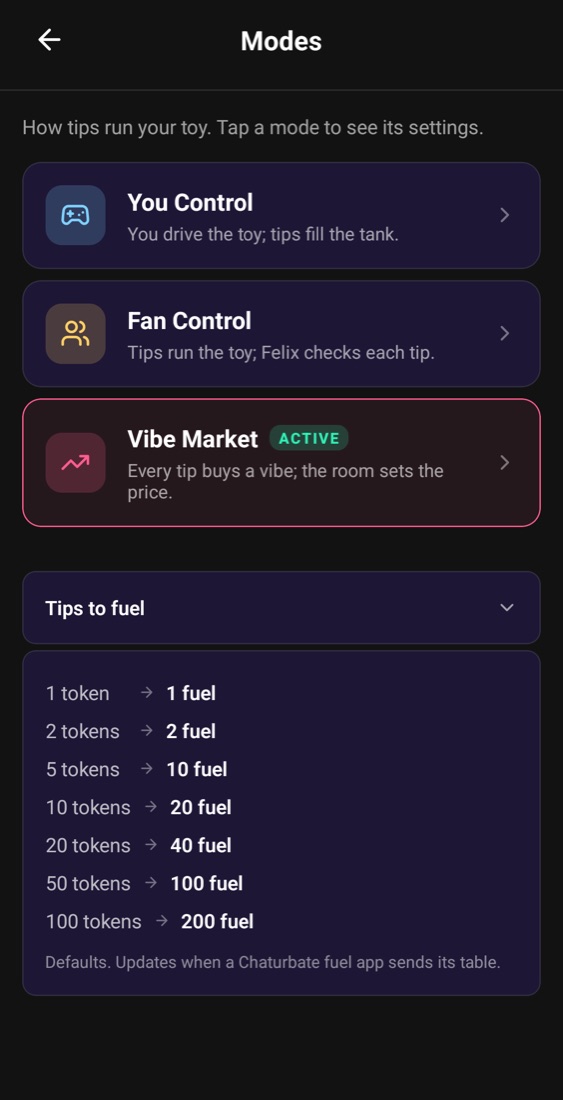
Each tip is turned into fuel by size (by default 1 token is 1 fuel, 100 tokens are 200), so bigger tips go further.
The tank burns while your toy runs. When it’s empty the toy rests until the next tip.
Live overlays in OBS show the tank, the tips and the toy, so viewers know exactly what their tip did.
This is the Tip4Fuel Show widget running on a pretend room. Pick a mode, send a few tips and watch the stream react. Nothing real is sent.
You drive the toy; tips fill the tank that keeps it going.
You drive the toy. Tips fill the tank that keeps it going, and the harder you vibe, the faster the fuel burns.
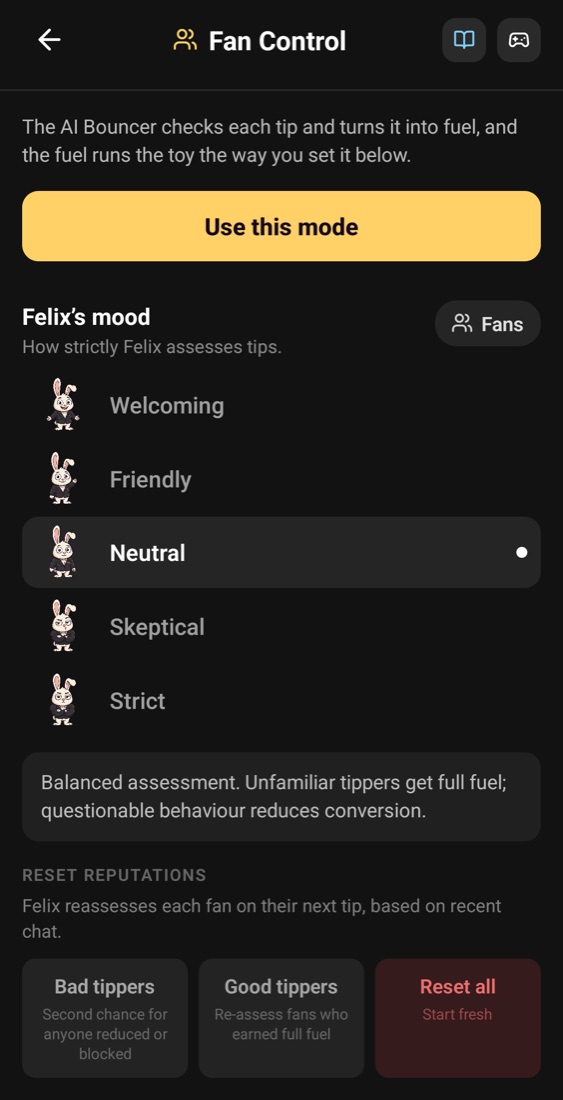
Tips run the toy, and Felix, the AI bouncer, checks each one at the door: let it through, cut it, or turn it away.
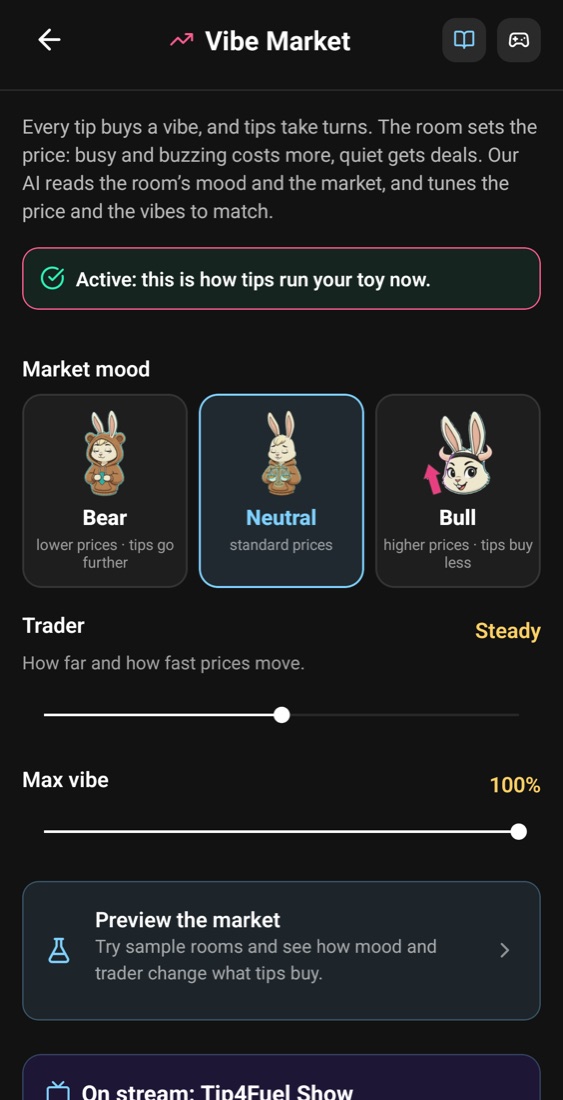
Every tip buys a vibe at the room’s price. Busy rooms pay more, quiet rooms get deals, and the AI rereads the mood every 90 seconds.
Everything lives in Tip4Fuel in the app.
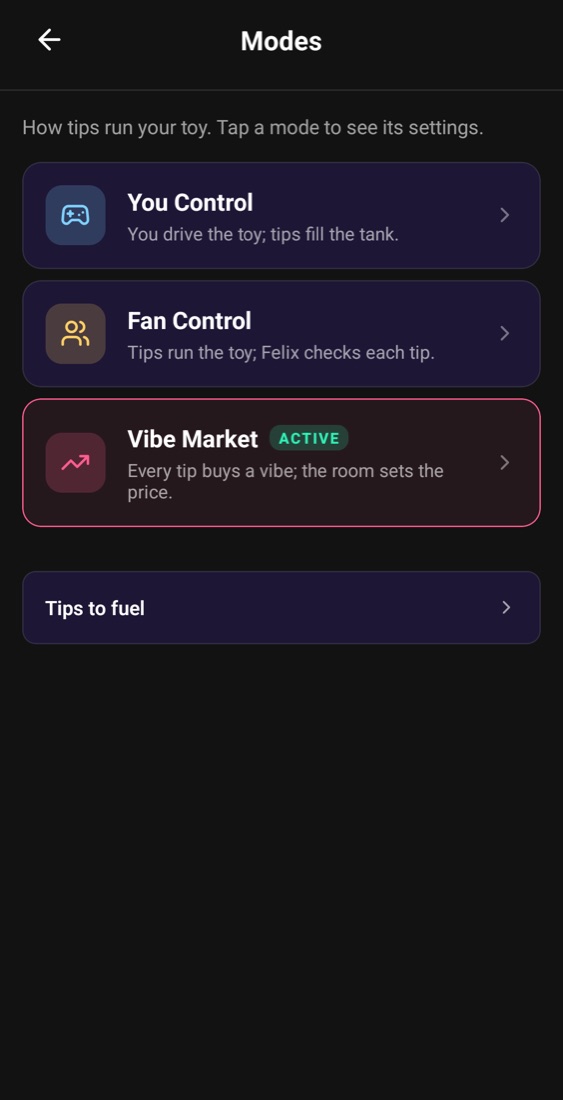
In Fan Control, Felix stands at the door. He waves good tips through, cuts small ones and turns away anything that doesn’t fit the room, and loyal fans can earn up to a 1.5× bonus.
Pick his mood, from Strict to Welcoming, to set how picky he is. Put him on stream with the AI Bouncer widget so your room can see his calls.
The same widgets OBS shows, running on a pretend room.
Big Spender, Max Vibe, Balanced, Slow Burn and Intense: pick how far tips go, or set your own.
Tips, top fans and fuel for every session, so you know what worked.
Viewers tip words from your menu, and the buzz fires when you say the word.
Send a link and a partner drives your toy from their browser, no app needed.
Yes. Fluffer is free on the App Store and Google Play.
Chaturbate today. Connect your room with your Chaturbate Events API token and tips start powering your toy.
No. Tips buy fuel (or, in the Vibe Market, a turn on the toy at the room’s price), so the toy keeps running the way you set it up.
No, but it helps your room see what’s happening. Fluffer’s overlays work in OBS as browser sources.
Fluffer can use your phone’s own vibration, so you can try everything first.
Download Fluffer, connect your toy (or use your phone’s vibration) and go live tonight.